Dashboards Your Team Will Actually Use
With Airtable + Softr
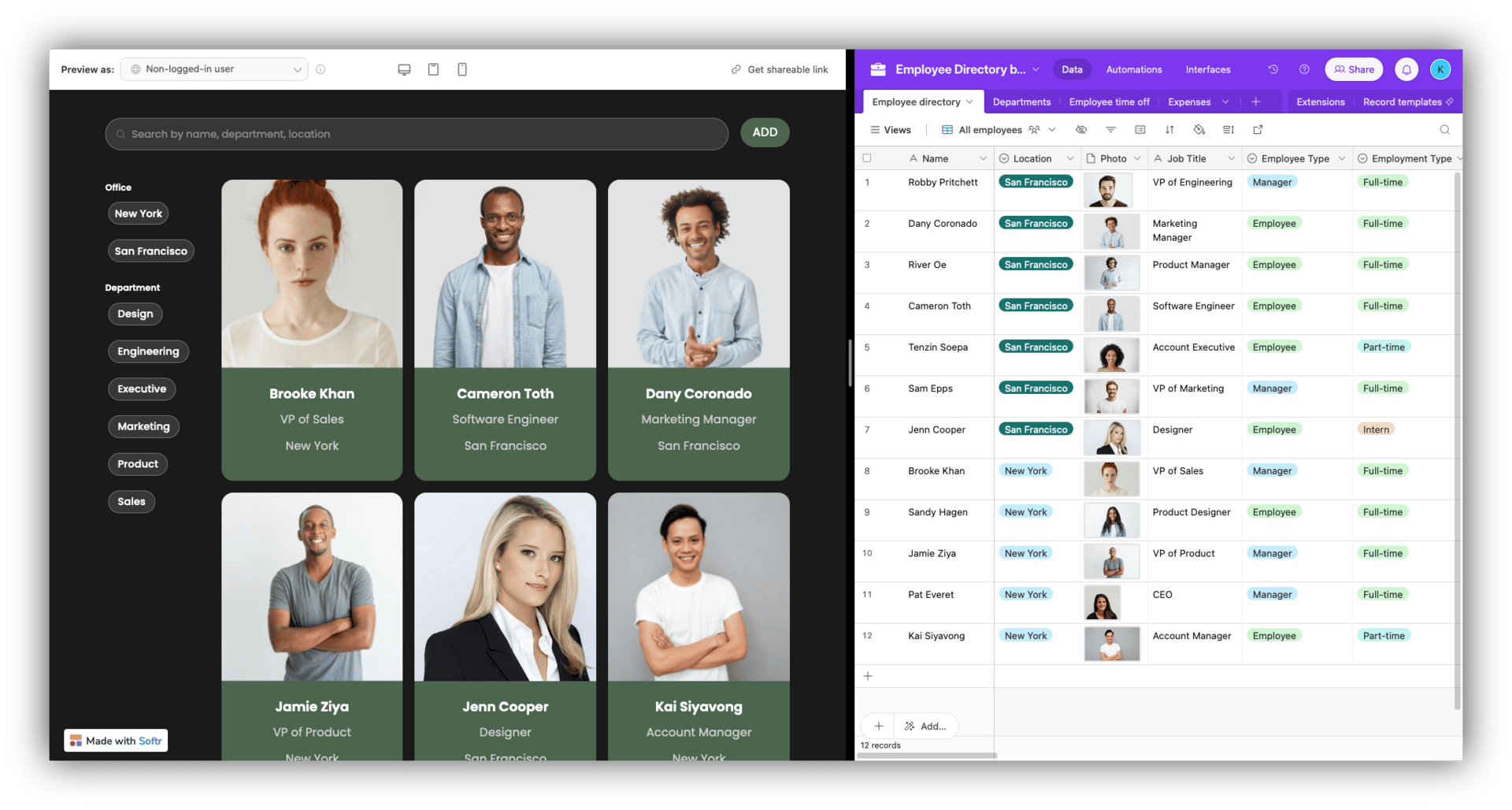
You've built robust Airtable bases that centralize your data, but stakeholders still see overwhelming rows of information—not user-friendly tools.
The solution is a two-layer approach: use Airtable's Interface Designer for focused internal dashboards, then add Softr to create polished, branded web apps on top of the same data.
What You Can Build
Internal: Role-based dashboards showing only relevant records, Kanban boards for task management, filtered views for "my assignments only"
External: Client portals displaying project status, member directories with search and filters, branded approval workflows
Each team member sees only the fields and records they need—your operations manager gets a timeline view, your sales team sees a Kanban board of deals, and your finance lead views budget dashboards.
Softr takes this further by connecting your Airtable base to branded web pages. Using drag-and-drop components, you create client portals, member directories, and mobile-friendly dashboards that sync live with Airtable—without writing code. Non-technical users get a visual, web-like experience instead of navigating database tables.
Data entry errors drop when users interact with guided, role-specific forms instead of full-table access. Decision-making speeds up when executives scan visual dashboards and charts rather than sorting raw data.